


How to place your gift card order:
- Choose the amount you wish to gift from the dropdown list.
- In the next box it asks you to enter an email address for each recipient.
- We suggest that you enter your own email address rather than that of the intended recipient.
- This will ensure that you have access to all the gift card details, like the card code as well as the downloadable files for the printable gift cards.
- And then you can always still forward the email you receive on to the person that the gift is intended for if you wish to do so.
- You can then enter your/the giver’s name in the next box, as well as an optional message to the recipient (eg. if you will not be giving them a physical card & will only be sending the ‘you were given a gift card’ email with the code and provided message on to them).
- Click on ‘Add to basket’, and then on ‘View Cart’.
- Click on ‘Proceed to Checkout’ and complete your billing details.
- Select your payment method in the righthand column, tick the terms & conditions boxes and click on ‘Place Order’.
- If you complete your payment via the Peach Online payment method, your order will move on to be processed shortly after.
- If you choose the Manual EFT payment option, your order will be processed as soon as your payment reflects in our account.
- Once your payment has been received successfully, you will receive both the ‘you were given a gift card’ email – containing the gift card code as well as an email with the link to download the printable cards via the recipient address provided (see above steps).
How to access and print your physical gift card:
- Once your payment has been received successfully, you will receive both the ‘you were given a gift card’ email – containing the gift card code as well as an email with the link to download the printable cards via the recipient address provided (see above steps).
- Click on the ‘That Little Shop Printable Gift Cards’ Download link and save the folder on your computer/phone.
- The download is a zipped folder, so you will have to right click and choose ‘extract all’ to unzip and access the PDF files on your computer for eg.
- The printable cards are each saved as a PDF print file, with the appropriate crop marks & bleed, and using the CMYK colour profile.
- If you have a good printer at home, you can then simply print out the design of your choice (we suggest using cardstock paper if you have, and not just regular printing paper) or you can take it to your local print shop for them to assist.
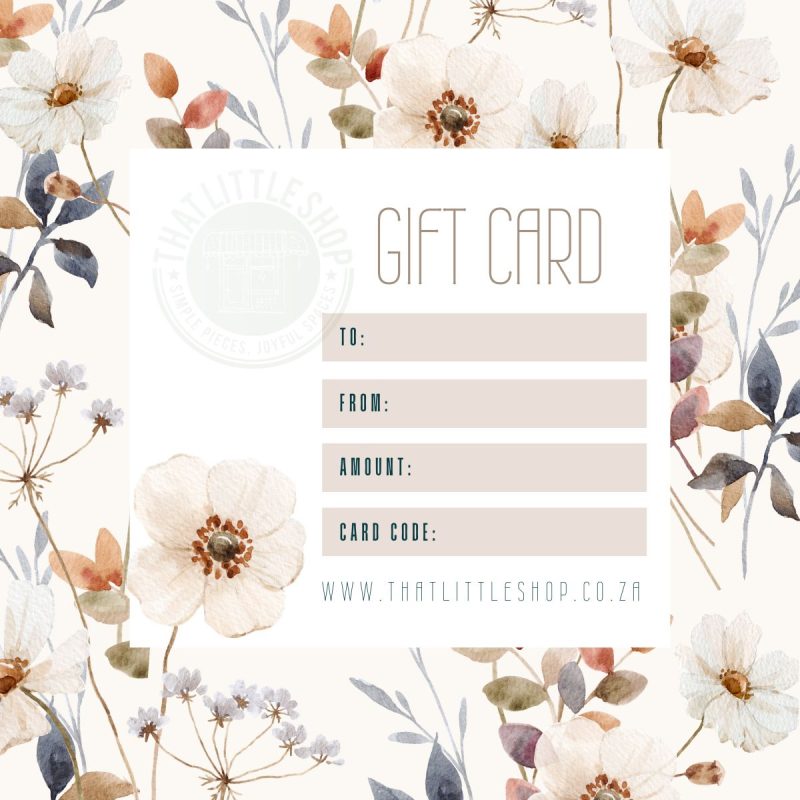
- Then cut the card to size and complete the To, From, Amount & Card Code fields in your own handwriting.
- NB! The Card Code is the one found in the ‘you were given a gift card’ email, and it is the code that the gift receiver will need to use online when redeeming their gift card amount on our website for their order 🙌
Should you have any other questions or need further guidance, you are welcome to reach out to Mariaan on buy@thatlittleshop.co.za.



Reviews
There are no reviews yet.